Add a product
- Open Inventory from the rail, then Products, and choose New. On Home, the setup summary may offer the same thing under your own word, such as Add a part.
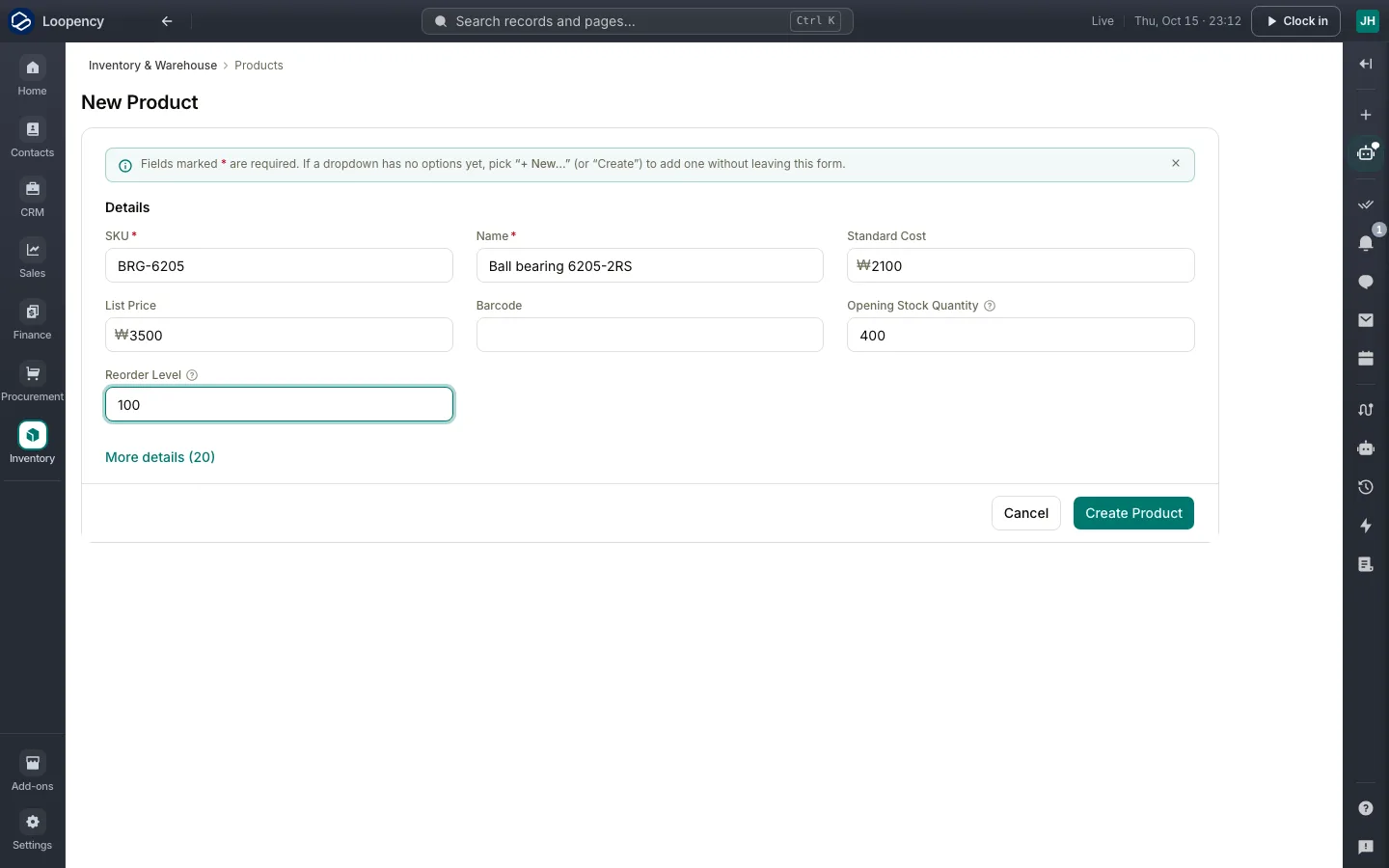
- Enter the SKU (your product code) and the Name.
- Enter the Standard Cost (what it costs you) and the List Price (what you sell it for).
- Enter the Opening Stock Quantity: how many you have on the shelf today.
- Enter a Reorder Level if you want to know when stock runs low.
- Choose Create Product.
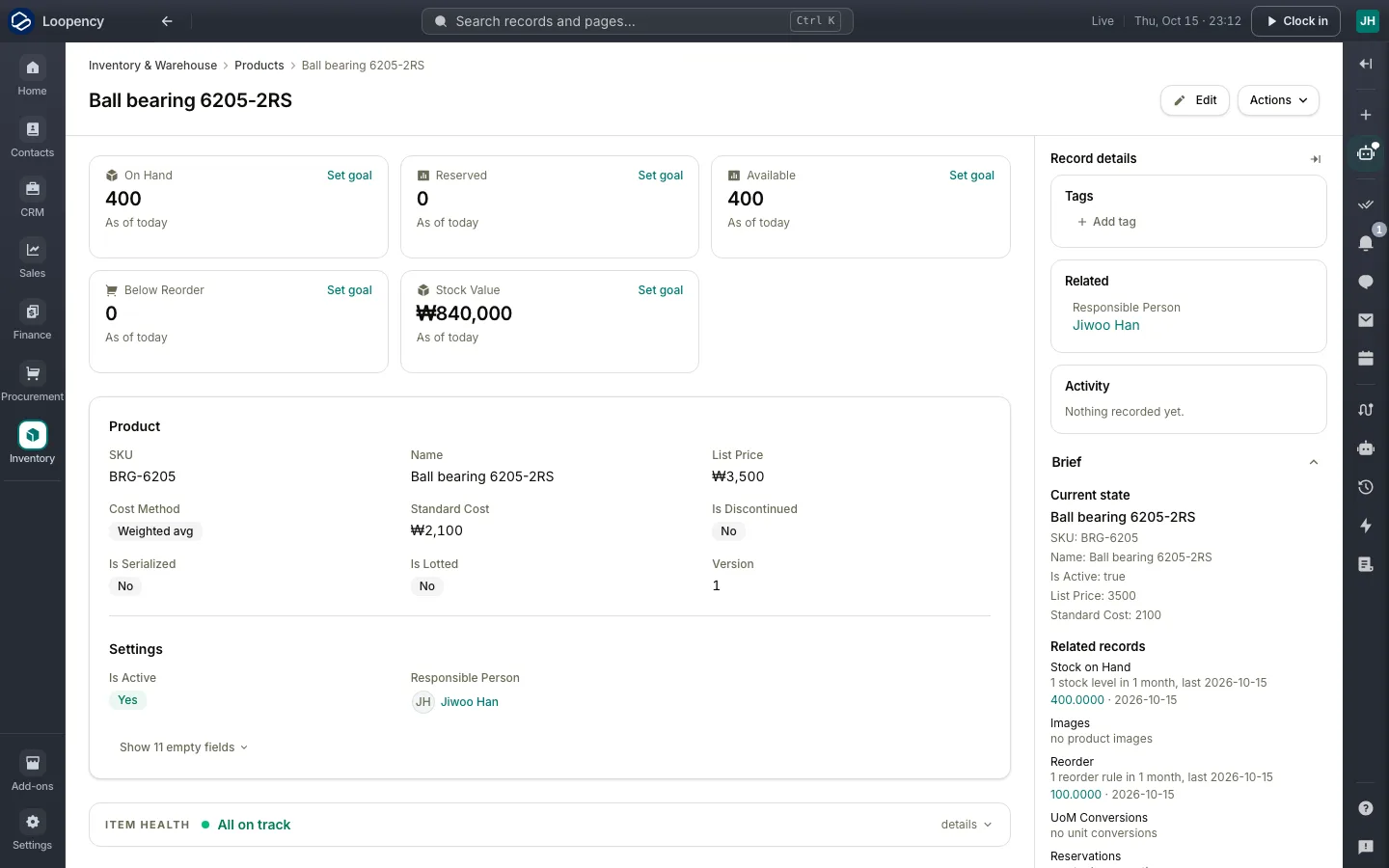
The product's page shows what is on hand, reserved for orders and available, and the value of the stock.
Next: Send a quote.