Inventory Software vs. ERP: Which Is Right for Your Business?
Inventory software tracks stock; an ERP runs the business around it. Five questions to decide, with plan limits and prices from vendors' pages.
By Loopency Team

This post is for the business that has decided the stock spreadsheet has to go and now has two kinds of product on its shortlist: dedicated inventory software, and an ERP that includes inventory.
The short answer:
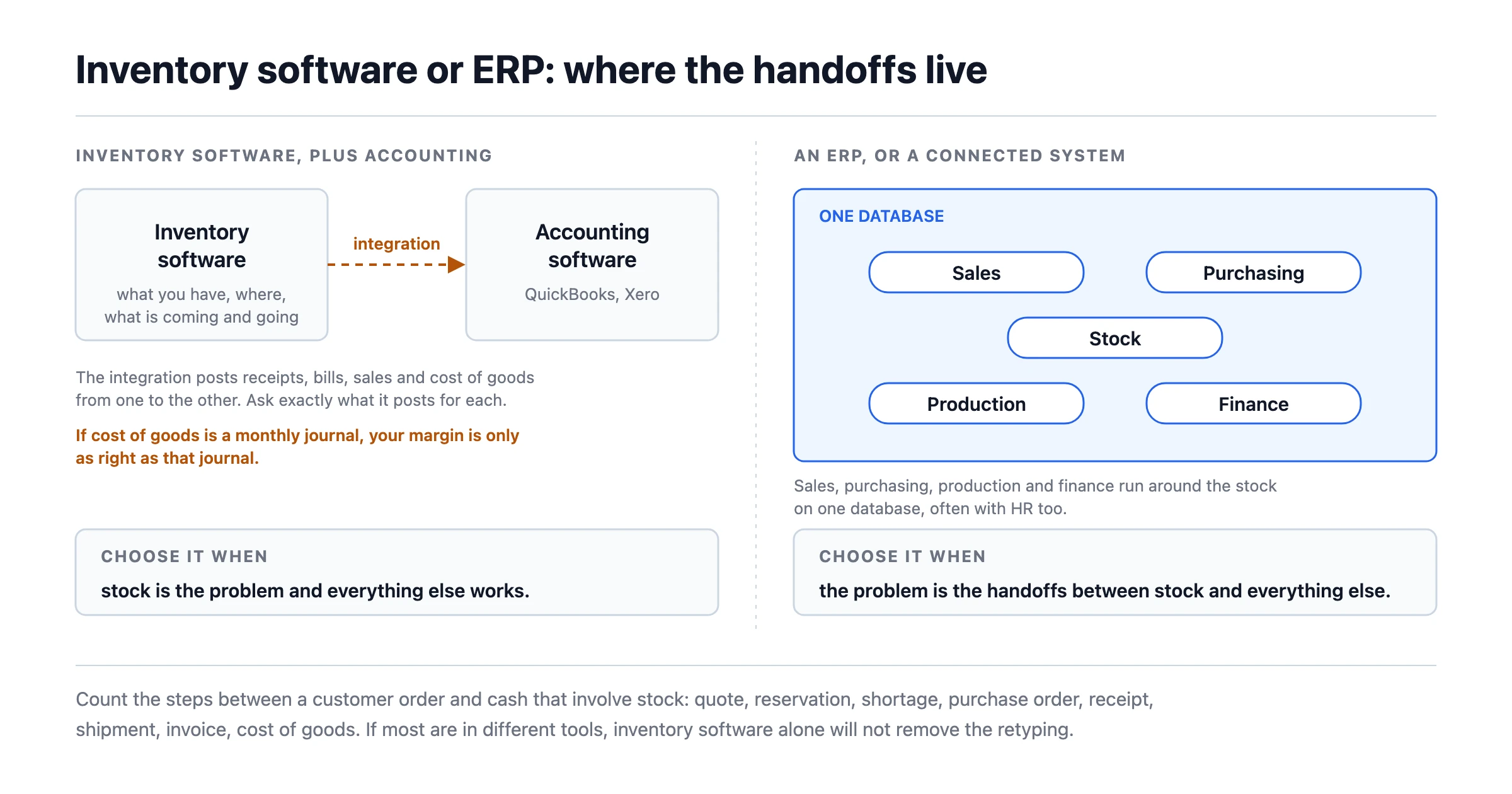
- Inventory software tracks what you have, where it is, and what is coming in and going out. It usually connects to your accounting software (QuickBooks, Xero) and your sales channels through integrations.
- An ERP runs the business around the stock: sales, purchasing, production, finance, often HR, on one database.
Choose inventory software when stock is the problem and everything else works. Choose an ERP (or a connected system) when the problem is the handoffs between stock and everything else.
Five Questions That Decide It!
1. Is your accounting staying where it is?
If your accountant works in QuickBooks or Xero and you are happy with that, inventory software with a good integration is the natural fit. An ERP replaces your accounting, which is a bigger change.
2. How many handoffs touch stock?
Count the steps between a customer order and cash that involve stock: quote, reservation, shortage, purchase order, receipt, shipment, invoice, cost of goods. If most of them happen in different tools, inventory software alone will not remove the retyping; it will just give stock a better home.
3. Do you make anything?
Simple assembly (kits, bundles) is in most inventory tools. Real production (bills of materials with labour, work orders, costing of finished goods) is either a manufacturing edition or an ERP.
4. How much does the integration have to do?
With inventory software plus accounting software, the integration posts receipts, bills, sales and cost of goods from one to the other. Ask exactly what it posts for each. If the answer is "sales and bills, but cost of goods is a monthly journal," your margin is only as right as that journal.
5. Who will set it up?
Inventory software is usually self-serve in days. An ERP is often a project with a partner over weeks or months. That difference is frequently larger than the licence difference.
Decision Table
| Your situation | Choose |
|---|---|
| One location, stock is the problem, accounting is fine | Inventory software |
| Several locations or channels, accounting is fine | Inventory software with multi-location, plus integration |
| Light assembly | Inventory software with assemblies |
| Real production with BOMs and costing | Manufacturing edition or ERP |
| Sales, stock, purchasing and finance disagree with each other | ERP or a connected system |
| You need one record from quote to cash | ERP or a connected system |
What the Options Cost
Read from each vendor's own page on 15 October 2026, in US dollars. Plans change; check the source.
Inventory software
| Product | Entry paid plan | Notable limits | Accounting |
|---|---|---|---|
| Zoho Inventory | Standard $29 per organisation per month, billed yearly | 500 orders a month, 3 users, 2 locations; serial and batch tracking and bins start at Premium ($79) | Zoho Books, separate |
| inFlow Inventory | Lite $99 per month billed annually | 2 team members, 1 location; Core ($299) for 5 locations | Separate |
| Sortly | Advanced $24 per month billed yearly, a first-year price after a 50% new-customer discount | 2 users, 500 items | Separate |
| Cin7 Core | Standard $349 per month | 5 users, 6,000 sales orders a year | Separate |
Sources: Zoho Inventory, inFlow, Sortly, Cin7.
ERP
| Product | Price basis | Notes |
|---|---|---|
| Odoo | Per user; all apps on Standard | First-year discount for initial users; read both prices on the page |
| Business Central | Essentials $80, Premium $110 per user per month, paid yearly | Premium adds manufacturing |
| ERPNext | Free open-source software; hosting from $5 a month | Needs technical setup |
Sources: Odoo, Business Central, Frappe ERPNext.
A worked comparison for a 10-person distributor with 2 warehouses, where 6 people need the system:
- Zoho Inventory Premium ($79) plus Zoho Books Professional ($40): $119 a month for the software, with user caps to check (Premium lists 5 users). Zoho Books pricing
- Business Central Essentials for 6 users: 6 x $80 = $480 a month, before implementation.
The cheaper option is cheaper, by a lot. What you are comparing is not only the price, but whether $360 a month buys you fewer handoffs, and whether the implementation cost of the second option is affordable.
The Third Option
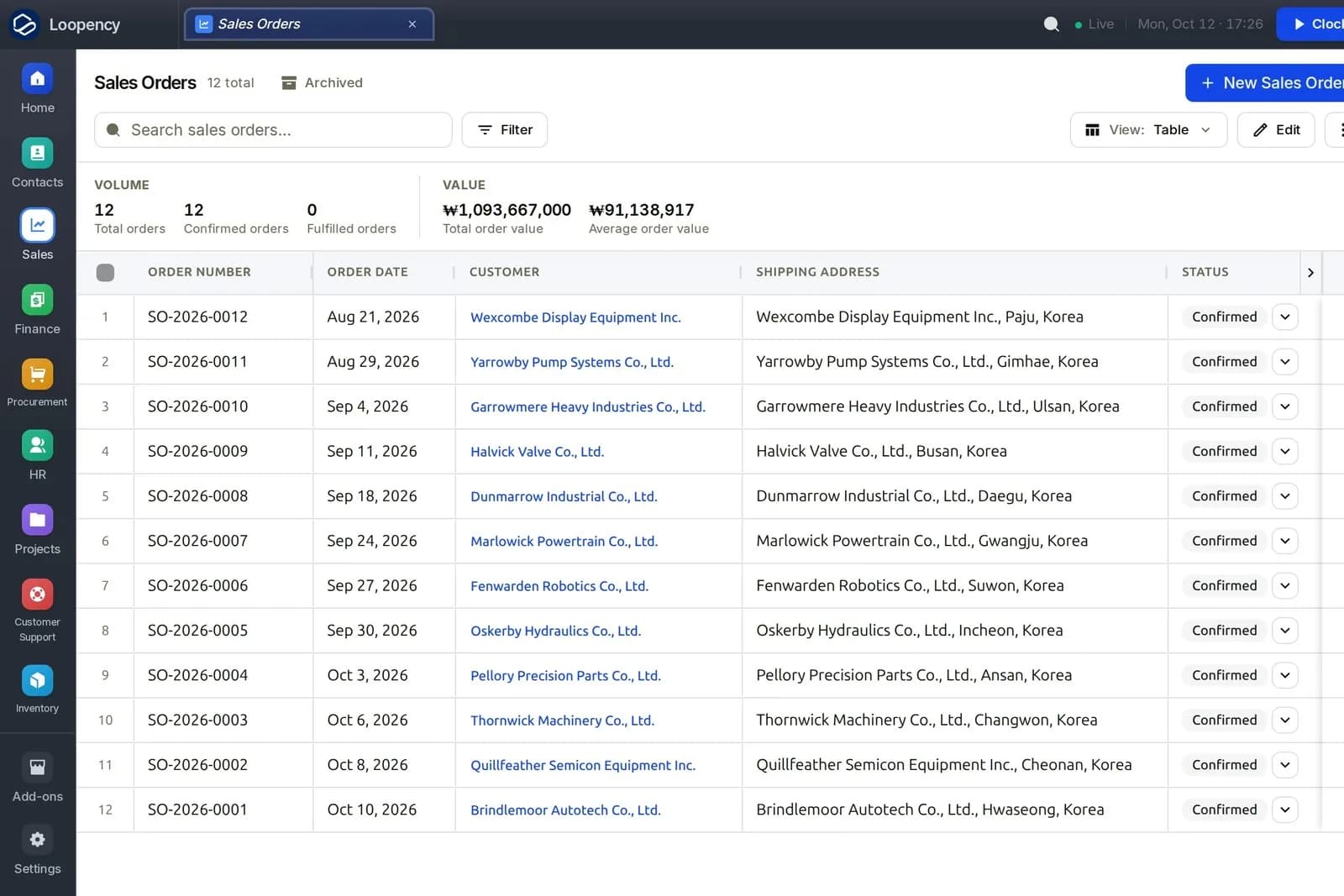
There is a middle path between "inventory tool plus accounting" and "full ERP project": a system that connects stock to sales, purchasing and finance from the start, but that you can set up yourself and start with inventory alone. That is the approach we take at Loopency:
- Start with inventory and turn on other modules later, in Settings.
- Stock is connected by construction: an accepted quote reserves it, a receipt posts the movement and its accounting entry and updates average cost, shipping records cost of goods sold, landed costs are added to stock value.
- Warehouses, zones and bins; batches and serials; cycle counts with variances flagged for approval.
- Setup from your spreadsheets, with a preview of every row before anything is written.
Where it is the wrong choice: if you want to keep QuickBooks or Xero as your books, a dedicated inventory tool with a strong integration is a better fit than us. Loopency includes its own ledger, and we do not offer a working sync to QuickBooks or Xero today. And if orders arrive from online marketplaces or shop platforms, note that Loopency does not connect to them today; the dedicated inventory tools are built for that.
Price: Community free for up to three people, Business per person with a 14-day trial. Pricing
Where to Start
Answer the five questions above on paper. If you land on "inventory software," shortlist two from the table and trial them with your own items. If you land on "ERP or connected system," take one real order that touched stock, purchasing and invoicing, and put it through each option.
Put one stock-heavy order through Loopency
Prices and plan details were read from each vendor's own pricing page on 09 October 2026 and are linked where used.
Related reading
Oct 18, 2026

Oct 18, 2026
Oct 18, 2026